Events
Events are the most complex collectiom within the site and require the most information to setup.
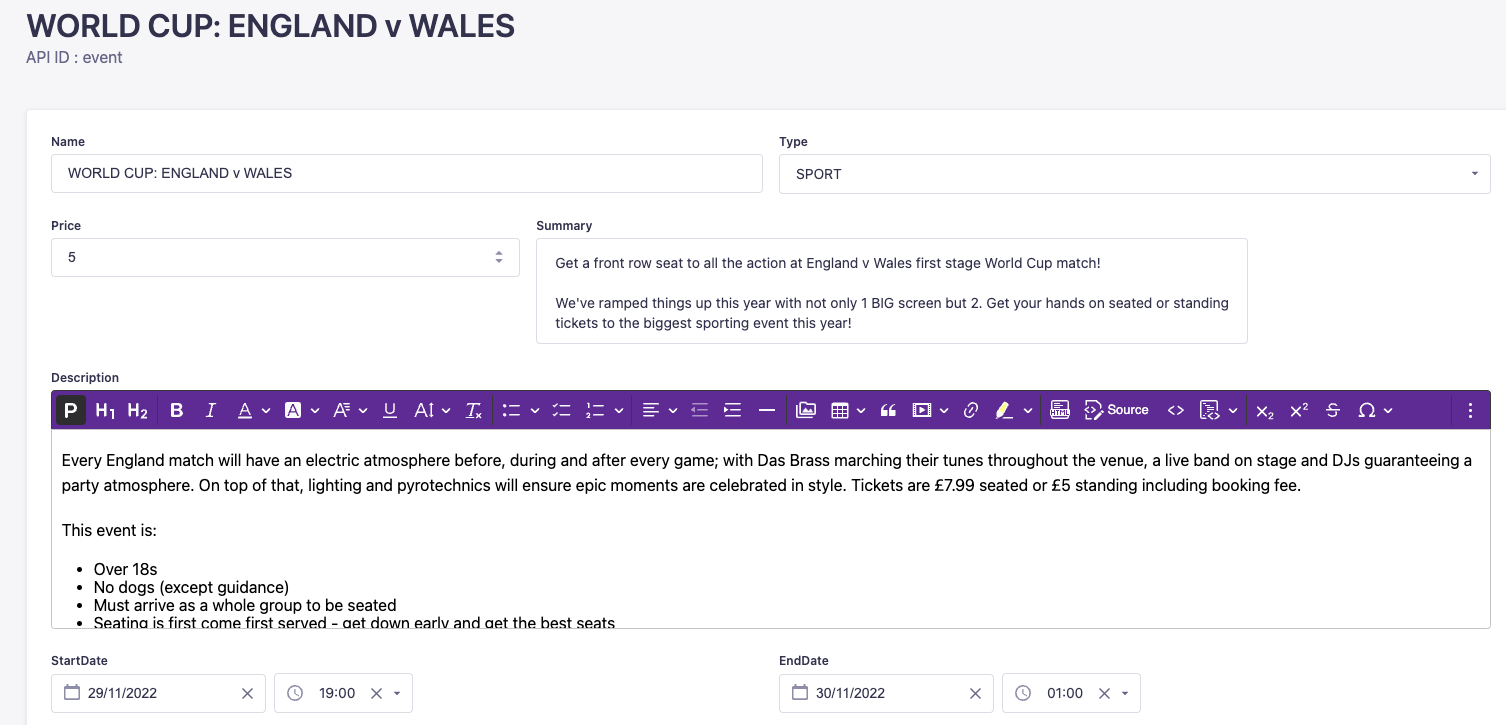
Each event has a name as it will appear on the site, a price, a summary and description. You then specify a start and end date / time for the event.
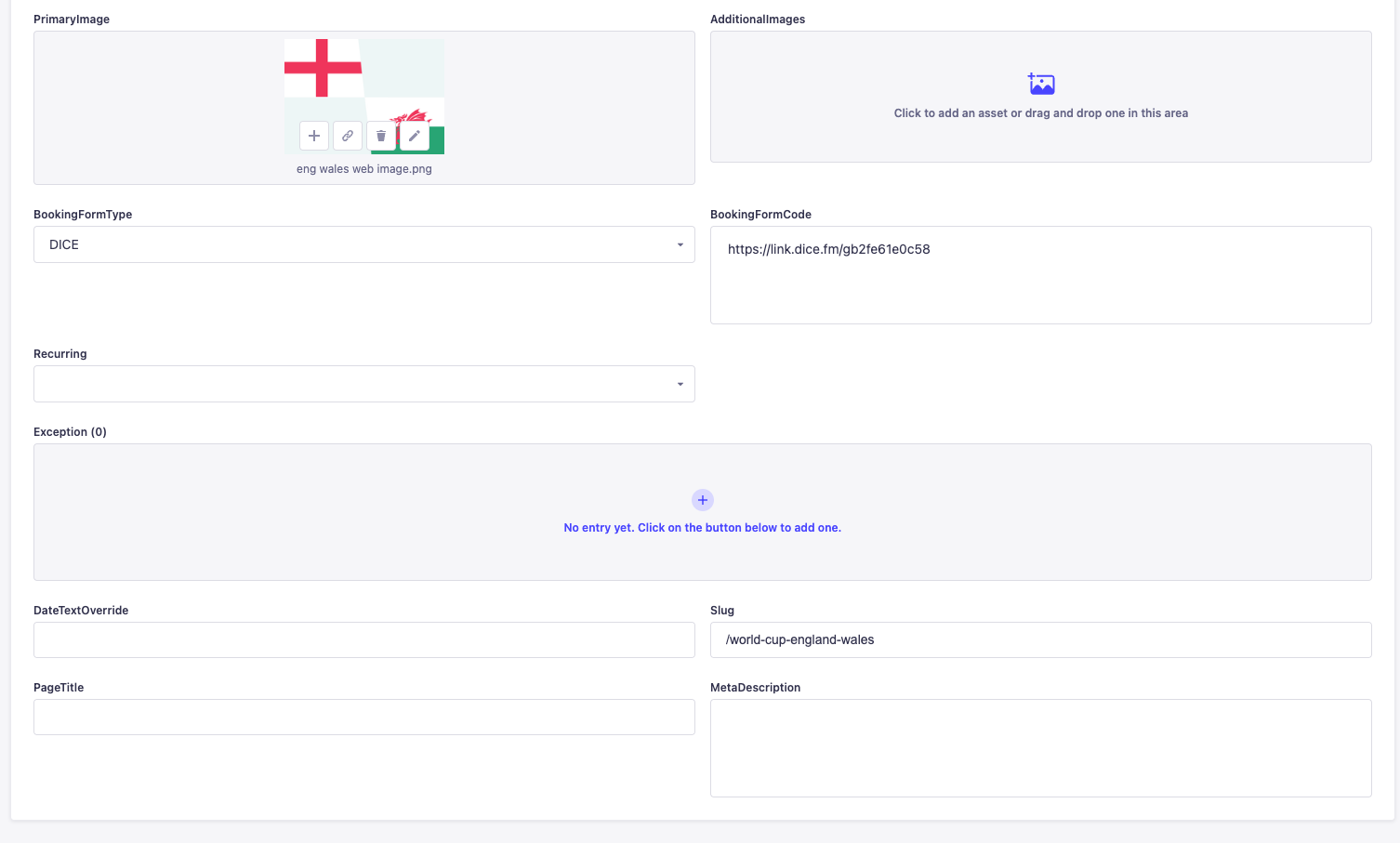
The primary image is the image that will be used across the site for the event and will appear in the tiles for event listings etc. Additional images allows you to add in any additional images you want to show for an event.
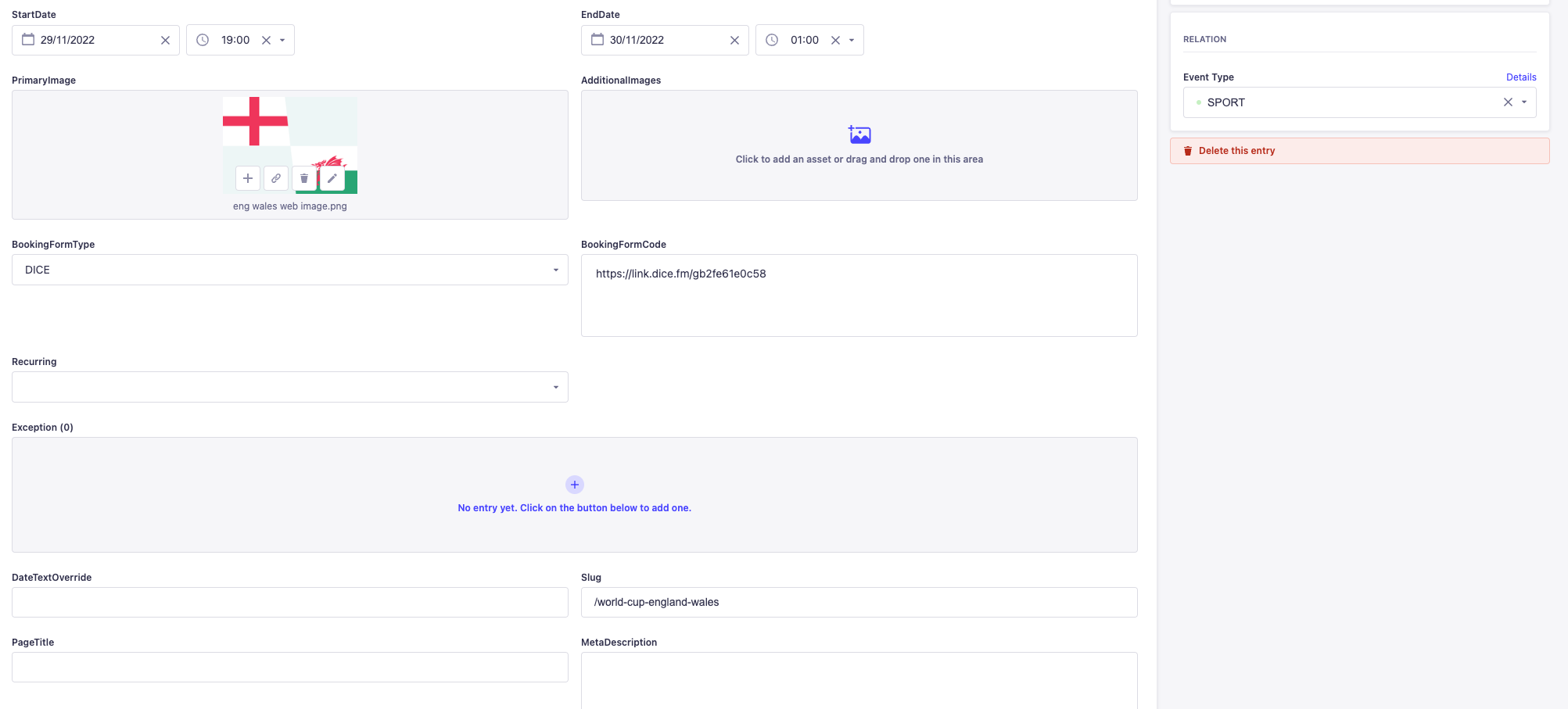
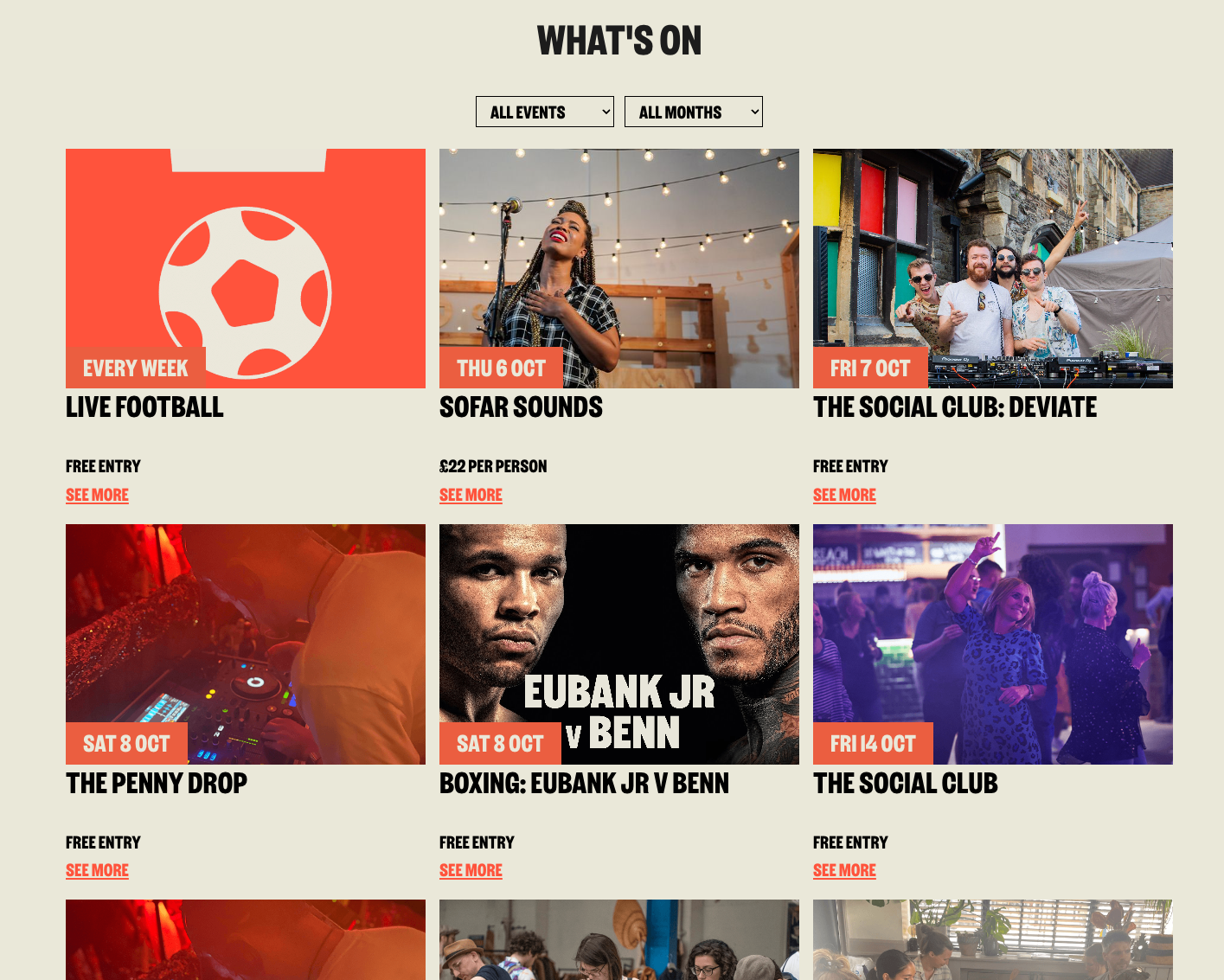
On the right of the editor you can specify the type of event, this is used to then filter events by type within the whats on page.
Booking form type allows you to specify how the event will be booked and BookingFormCode allows you to add in the code or link required to do the booking.
You can specify whether the link is recurring or not. For recurring events, there may be times when you don’t want it to recur, you can add exceptions to the exceptions list, this is dates/times that the event want happen on and the event will not show as recurring on those dates.
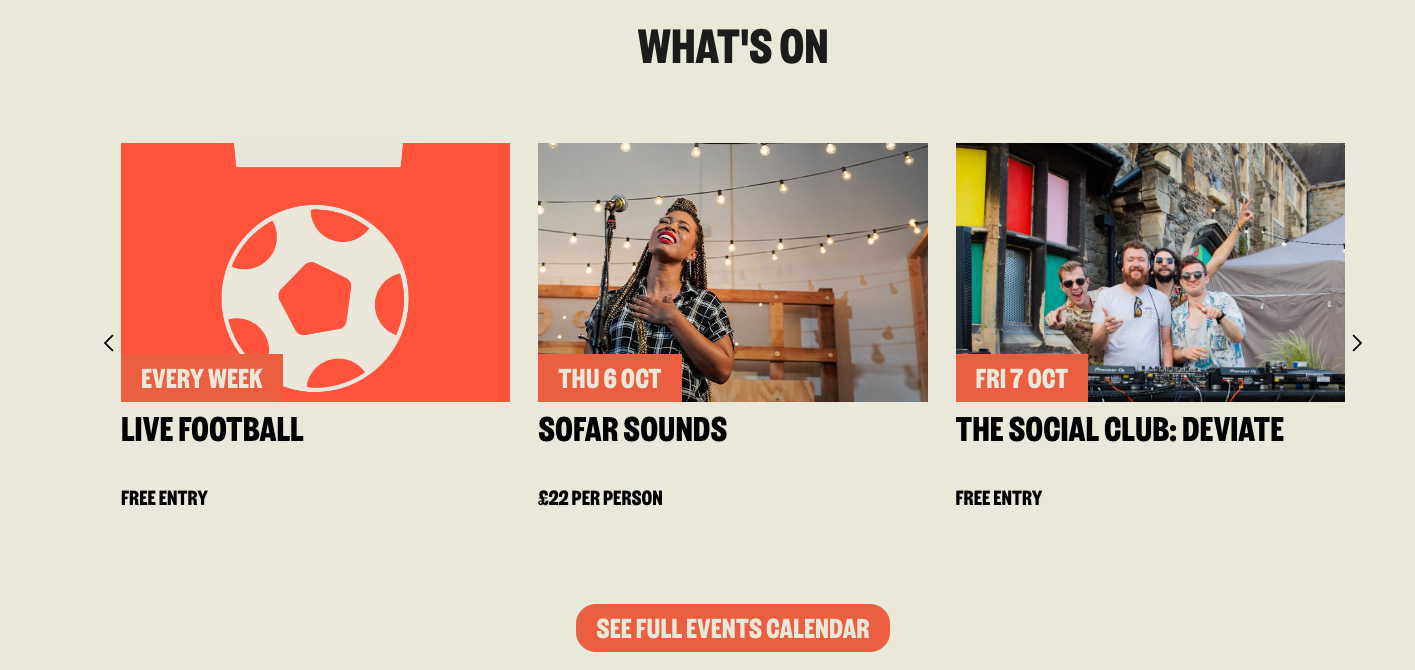
Date text override allows you to show something different for the date of an event. This is used to display “Every Week” for the live football event for example even when the start and end date are 1st Jan - 31st Dec.
Slug is the url that the event should display at. This has to be unique from any other event and will be prefixed with /whats-on - for example:
Slug of an event = /live-football
Url on site = https://bigpennysocial.co.uk/whats-on/live-football.
Always include the / in the slug, otherwise the event will be at https://bigpennysocial.co.uk/whats-onlive-football
A priority can be set for an event, this defines where in the event slider it will appear. If priority is 1, it will be first.
For seo and as described in the seo section in more detail, you can add a Page title and meta description for an event.
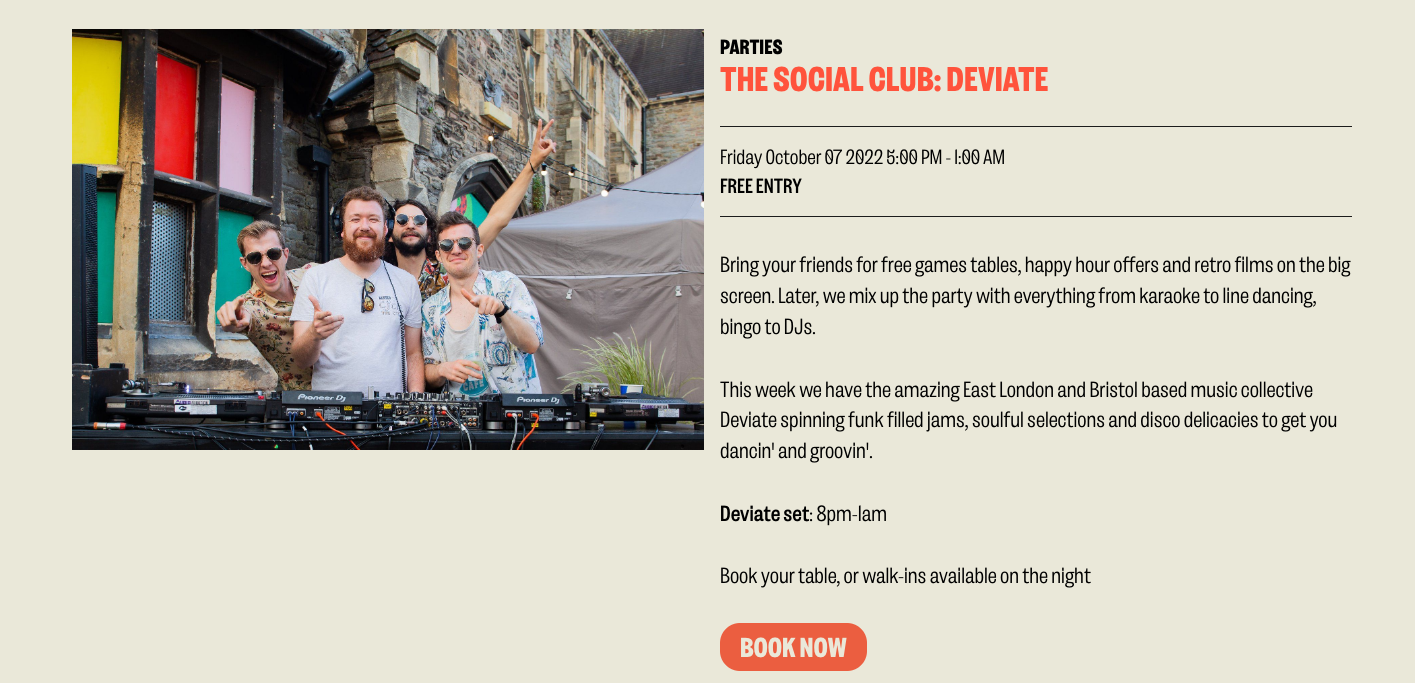
The data for an event is then shown across the site on the home page slider component,
the whats-on listing page
 and
and
each individual event page